Paste for Windows: there isn't one, so here are the alternatives
Paste, the clipboard manager from pasteapp.io, only runs on Mac, iPhone and iPad, and syncs through iCloud. There's no Paste for Windows. On a PC, Windows already keeps a short clipboard history with Win + V. For a full, searchable history like Paste's, use Ditto or CopyQ, both free. And if what you miss is having that history on your iPhone or Android too, use Colurus: free, in the browser, on the PC and the phone.
Updated · Colurus
Quick answer
| App | Runs on | History | On your phone | Price |
|---|---|---|---|---|
| Paste | Runs onMac, iPhone, iPad | HistoryEverything you copy, synced with iCloud | On your phoneiPhone and iPad | Price$2.49/month or $29.99/year; 7-day trial |
| Win + V (Windows) | Runs onWindows 10 and 11 | HistoryLast 25 items; cleared on restart except pinned | On your phoneNo | PriceFree, built in |
| Ditto | Runs onWindows | HistoryEverything you copy, with search | On your phoneNo | PriceFree, open source |
| CopyQ | Runs onWindows, Mac, Linux | HistoryEverything you copy, in tabs, with search | On your phoneNo | PriceFree, open source |
| PasteBar | Runs onWindows and Mac | HistoryEverything you copy, with saved clips | On your phoneNo | PriceFree, open source |
| Colurus | Runs onAny browser: Windows, Mac, iPhone, Android | HistoryWhat you save, with search and boards | On your phoneiPhone and Android | PriceFree (200 items); Pro $7/month |
Paste's platforms and prices from its pricing page; the other apps from their own pages. Checked on November 2, 2026 (see Sources).
Is there Paste for Windows?
No. Paste is made for Apple devices: its pricing page says every plan includes Paste on Mac, iPhone and iPad, and nothing else. It keeps everything you copy on the Mac, lets you search it and save it in pinboards, and syncs it to your iPhone and iPad through your own iCloud. iCloud sync doesn't reach a Windows PC, so if you switched to a PC, or use a Mac at home and a PC at work, Paste won't follow you.
Windows has good options for each part of what Paste does. None does all of it, so here they are by part.
Built into Windows: Win + V
Windows 10 and 11 have a clipboard history: press Win + V and turn it on the first time. It keeps the last 25 things you copied (text, HTML and images), lets you pin the ones you want to keep, and can sync between Windows PCs with the same Microsoft account. It clears on every restart except pinned items, and it has no search and no phone. Good enough for a few minutes back; not a Paste replacement. More in Win+V alternative.
A full history on the PC: Ditto, CopyQ and PasteBar
- Ditto (Windows, free and open source) is the classic. It saves everything you copy, text and images, in a database that survives restarts, with search and a shortcut to paste any item.
- CopyQ (Windows, Mac and Linux, free and open source) saves text, images and HTML in tabs you can organize, with search and editing. The closest to Paste's pinboards, and it also runs on a Mac.
- PasteBar (Windows and Mac, free and open source) keeps your history and lets you save the clips you reuse.
All three live on one computer. None of them gets anything from your iPhone or Android, which is the part Paste did through iCloud.
Your clipboard history on the PC and the phone: Colurus
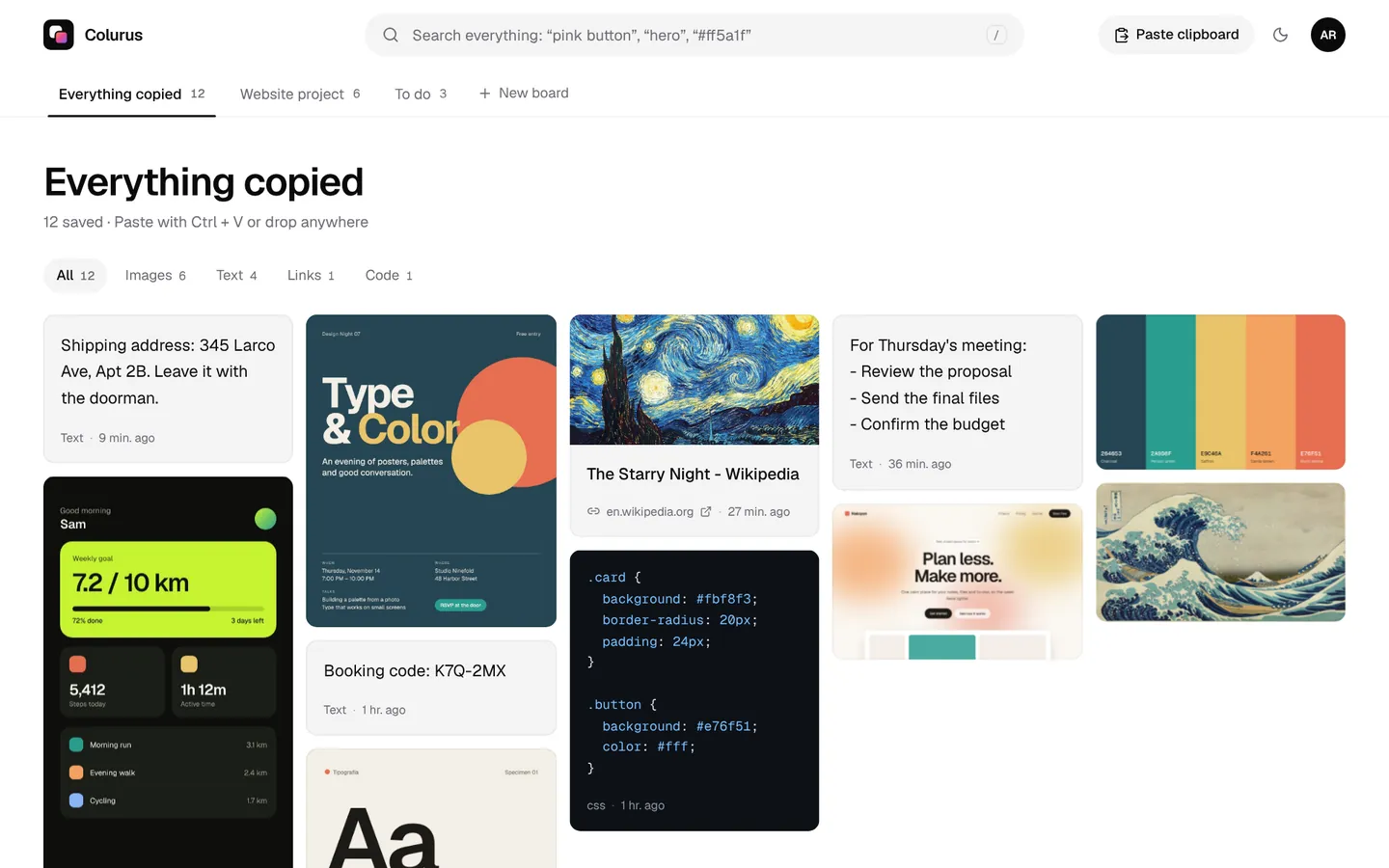
Colurus is a clipboard history in the cloud that runs in the browser on Windows, Mac, iPhone and Android. What you save on one shows up on the others, with search, AI tags on images, and boards to sort things, like Paste's pinboards. It's the closest thing to a universal clipboard between Windows and any phone.
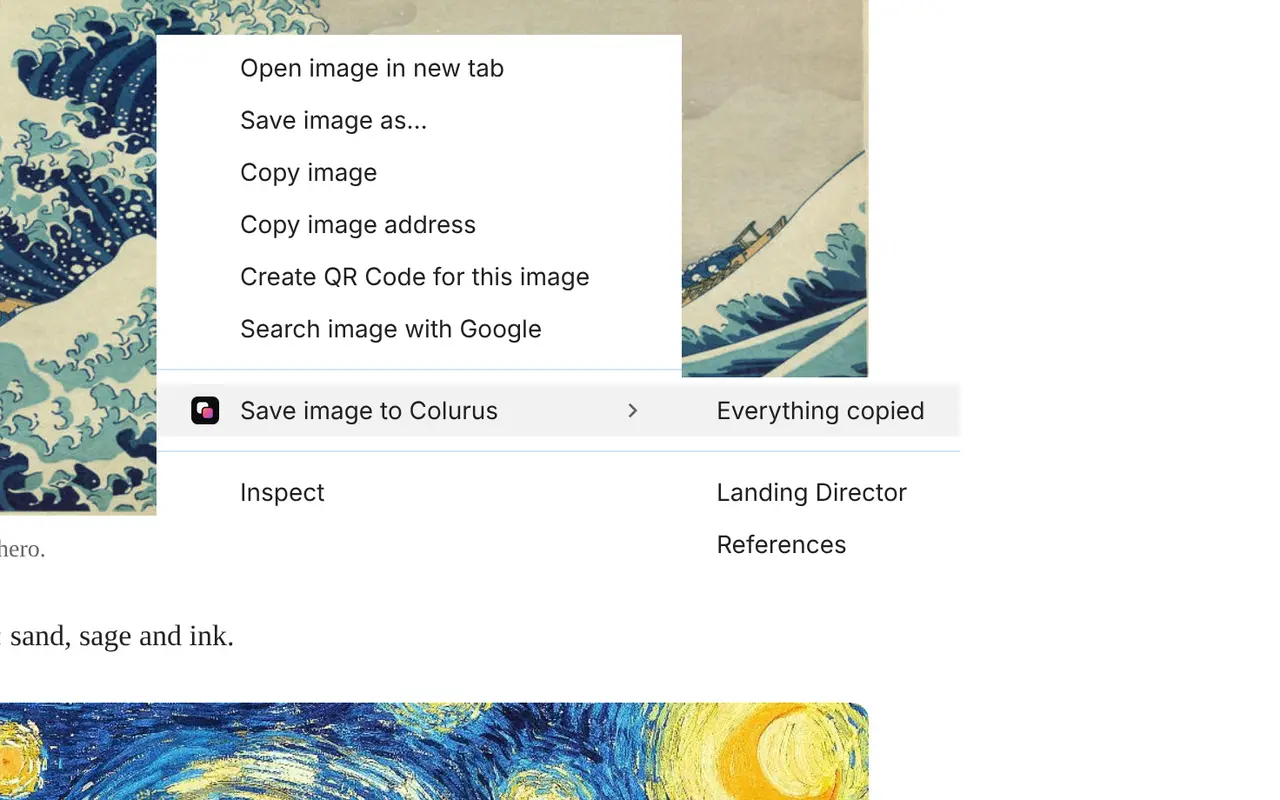
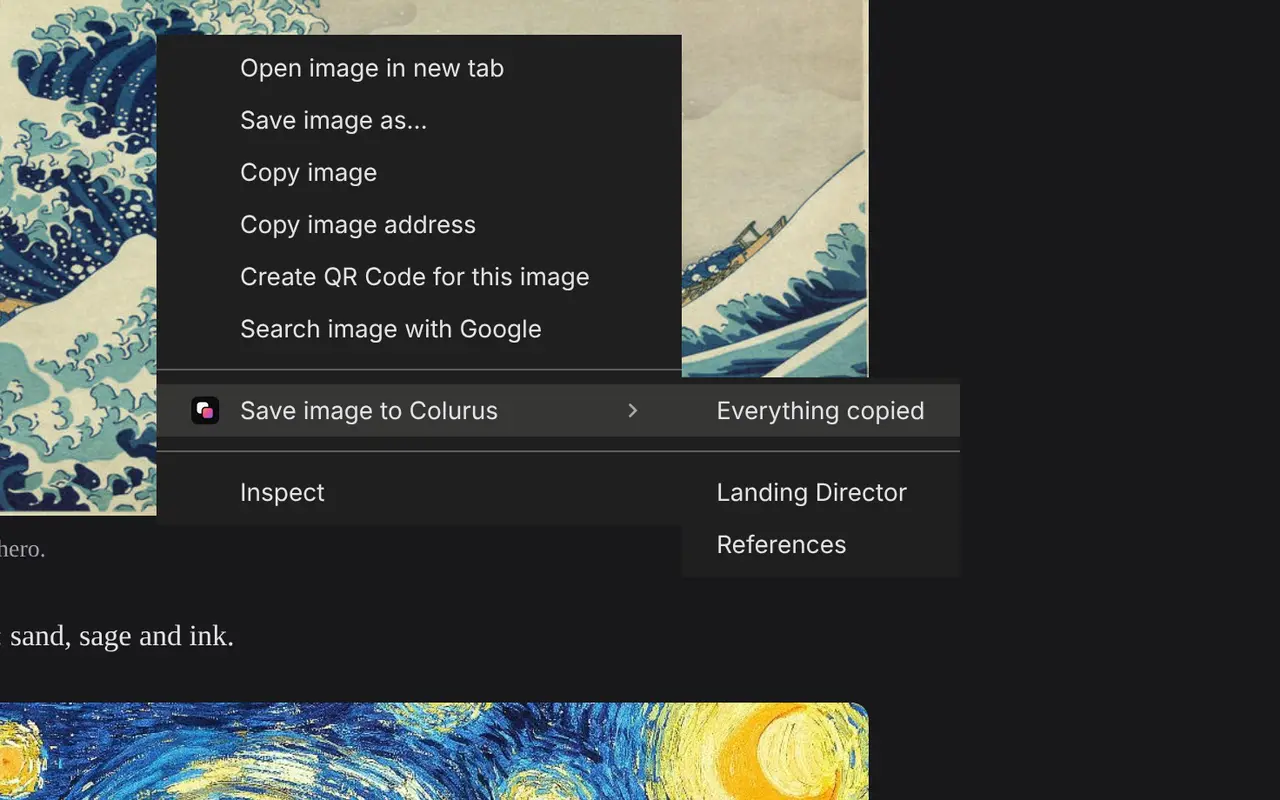
The difference: on the PC, Colurus doesn't record every copy by itself like Paste or Ditto. You paste into Colurus with Ctrl + V (or save from Chrome with a right-click), and on the phone you tap Paste. Many people use Ditto or Win + V for the quick back-and-forth on the PC and Colurus for what they want to keep and have on the phone.
- 1Open colurus.com on the PC and on the phone, and sign in with the same Google account.
- 2On the PC, press Ctrl + V in Colurus. On the phone, copy something and tap Paste, or Choose image for a screenshot.
- 3It shows up on your other devices right away. Click or tap it to copy it again, or find it later with search.
Sign in with Google. Free: 200 items, 2 boards and AI on every image you save.
Try Colurus freeWhich one should you use?
- Only the PC, a few minutes back: Win + V.
- Only the PC, everything you copy, with search: Ditto, or CopyQ if you also use a Mac or Linux.
- Your clipboard on the PC and on your iPhone or Android, kept: Colurus.
- Only Apple devices: Paste is still a good choice.
Sign in with Google. Free: 200 items, 2 boards and AI on every image you save.
Try Colurus freeYour clipboard history, in Chrome too
Save text, links and images from any page with a right-click, and copy them back from the popup or the side panel without leaving the tab. What you save stays in your Colurus, on your phone too.
Frequently asked questions
Is Paste available for Windows?
+
No. Paste only runs on Mac, iPhone and iPad, and syncs through iCloud. On Windows, use Win + V, Ditto, CopyQ or PasteBar on the PC, or Colurus to have your clipboard history on the PC and the phone.
What's the best free Paste alternative for Windows?
+
Ditto: it's free and open source and saves everything you copy, with search. CopyQ is also free and runs on Windows, Mac and Linux.
Can I sync my clipboard between an iPhone and a Windows PC?
+
Not with Paste or Apple's Universal Clipboard, which stay on Apple devices, and not with Ditto or Win + V, which stay on the PC. Colurus does it in the browser: you paste on the iPhone and copy on the PC.
Does Colurus save everything I copy automatically?
+
No. On the PC you paste into Colurus or save from Chrome, and on the phone you tap Paste. Phones don't let apps read the clipboard in the background. In return, what you save is on every device and stays until you delete it.
How much does Paste cost?
+
$2.49 a month or $29.99 a year for Mac, iPhone and iPad, with a 7-day free trial (prices on its pricing page, November 2026).
Is Colurus free?
+
Yes. The free plan keeps 200 items with no time limit; Pro is $7 a month for unlimited items. It runs in the browser; you sign in with Google.
Sources
- Paste: pricing (Mac, iPhone and iPad; $2.49/month or $29.99/year)
- Paste (a paid clipboard app): the iPhone has no built-in clipboard history
- Microsoft Support: Using the clipboard in Windows (Win+V)
- Ditto on GitHub
- CopyQ on GitHub (Windows, macOS and Linux, GPL-3.0)
- PasteBar on GitHub (Windows and macOS, free and open source)
Facts about each app checked on November 2, 2026. If something changed, tell us and we'll fix it.