Clipboard history on Android: where it is, and a clipboard manager that keeps it
Android itself only keeps the last thing you copied. The clipboard history lives in your keyboard: in Gboard, tap the clipboard icon at the top of the keyboard; in Samsung Keyboard, add Clipboard to the toolbar. Both forget unpinned items, and Gboard clears its history shortly after you last use it. To keep texts, links and screenshots for good, and have them on your PC too, use a clipboard manager in the cloud like Colurus: free, in the browser, nothing to download from the Play Store.
Updated · Colurus
Quick answer
| Option | Where | How long it keeps things | On your PC |
|---|---|---|---|
| Android on its own | WhereLong-press a text box → Paste | How long it keeps thingsOnly the last thing you copied; Android 13 and later clear it after a while | On your PCNo |
| Gboard clipboard | WhereClipboard icon at the top of the keyboard | How long it keeps thingsClears shortly after you last use it, except pinned items | On your PCNo |
| Samsung Keyboard clipboard | WhereClipboard button in the keyboard toolbar | How long it keeps thingsCopied items and recent screenshots; pin the ones you want to keep | On your PCNo |
| Colurus | Wherecolurus.com, or installed from Chrome | How long it keeps thingsUntil you delete it (200 items free) | On your PCYes, in the browser on any PC |
Facts about Gboard, Samsung Keyboard and Android checked on their own pages on October 26, 2026 (see Sources). Menus can change a little between phones and keyboard versions.
Where is the clipboard on Android?
Android doesn't have a clipboard app or a clipboard folder you can open. When you copy something, Android keeps it in memory, and only the last thing: copy something else and the previous one is gone. You paste it by long-pressing a text box and tapping Paste.
What people call "clipboard history" on Android is a feature of the keyboard. Gboard (the Google keyboard, standard on Pixel and many other phones) and Samsung Keyboard both remember a few recent copies, and you open them from the keyboard itself.
How to see your clipboard history in Gboard
- 1Tap any text box so the keyboard opens, for example in a chat or the search bar.
- 2At the top of the keyboard, tap the Clipboard icon. If you don't see it, tap the menu with the four squares and look for it there.
- 3Tap an item to paste it. To keep one, touch and hold it and tap Pin.
Gboard clears the history shortly after you last use it. Only what you pin stays, in the Pinned section. So the clipboard history in Gboard is good for pasting something you copied a few minutes ago, not for finding something from yesterday.
Clipboard history on Samsung phones
On a Galaxy phone with Samsung Keyboard, the clipboard is a button in the keyboard toolbar. If it isn't there, tap the three dots in the toolbar and drag Clipboard onto it.
- 1Open the keyboard in any text box.
- 2Tap Clipboard in the toolbar. You see what you copied and your recent screenshots.
- 3Tap one to paste it. You can pin your favorites so they stay at hand, or delete the ones you don't want.
Why your clipboard history disappears
Because Android protects it. What you copy can be a password or a bank code, so Android keeps it short-lived: since Android 13 the clipboard is cleared on its own after a while, and since Android 12 you see a notice every time an app reads it.
Since Android 10, apps running in the background can't read the clipboard. That's why classic clipboard manager apps can't quietly save everything you copy anymore, unless they are your keyboard or use workarounds. Any app that promises to save every copy automatically on a recent Android phone is worth a second look.
A clipboard manager for Android that keeps everything
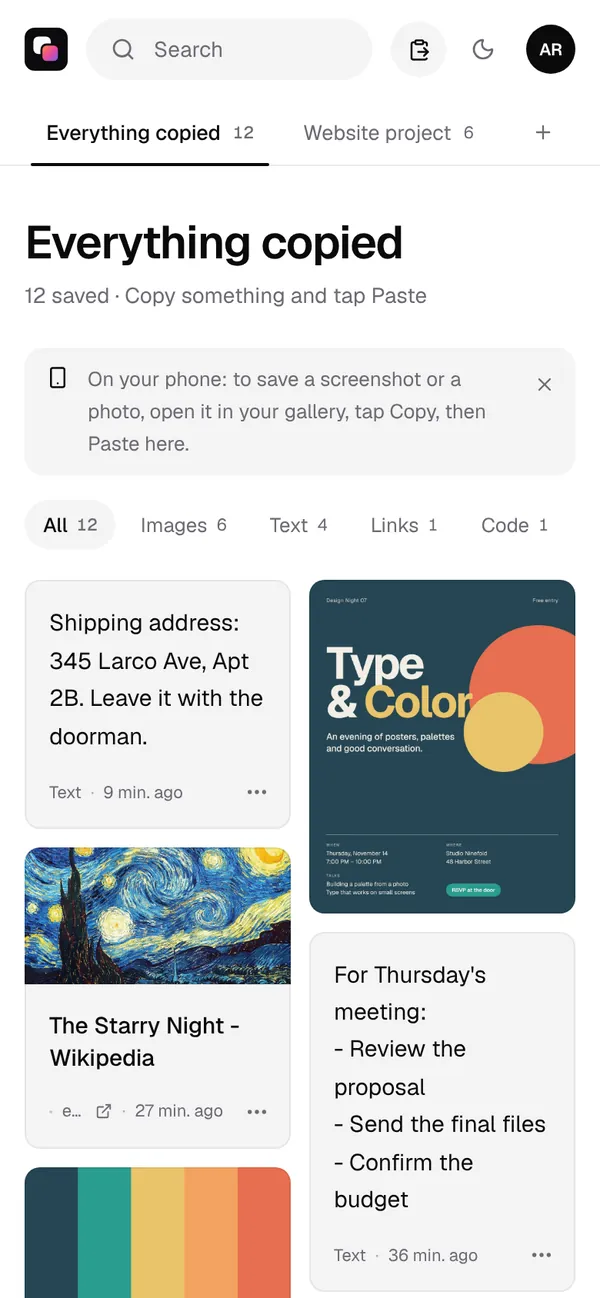
Colurus is a clipboard history in the cloud. It doesn't try to read your clipboard behind your back: you decide what to keep, with one tap, and it stays saved until you delete it.
- 1Open colurus.com in Chrome and sign in with Google. To have it like an app, tap the menu and Install app (or Add to Home screen).
- 2Copy a text, a link or an image anywhere, open Colurus and tap Paste. It's saved.
- 3Or skip the copy: in any app, tap Share on a photo, a screenshot or a link, and choose Colurus.
- 4To use it again, tap the card: a text or code is copied, a link opens, an image opens big to copy or download.
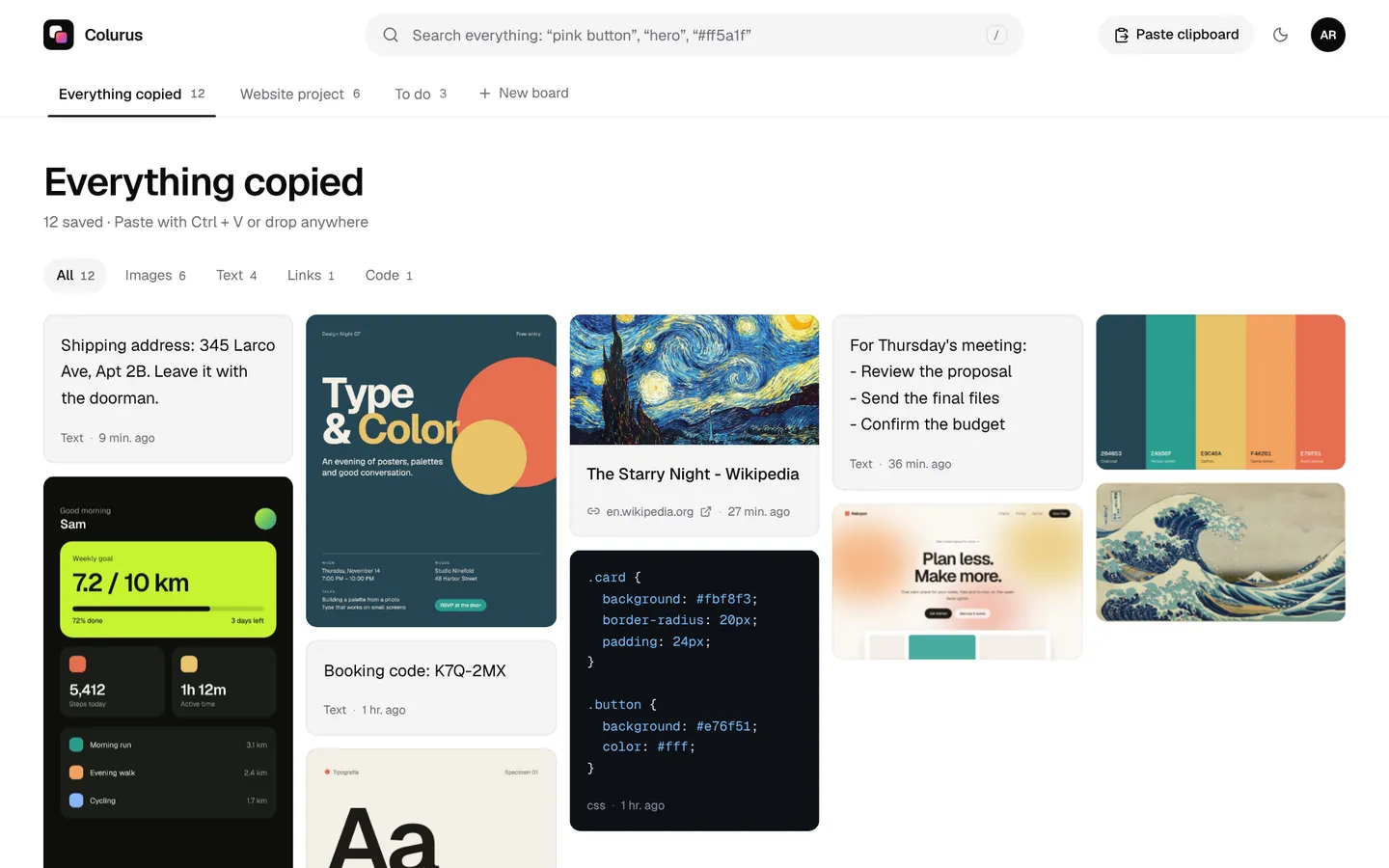
Search finds things without organizing them: AI reads the text in your screenshots and adds tags to images. What you use every day, like an address or an account number, can be pinned to the top. The free plan keeps 200 items.
Sign in with Google. Free: 200 items, 2 boards and AI on 10 images a day.
Try Colurus freeYour Android clipboard history on your PC
The keyboard clipboard stays on the phone. With Colurus, open colurus.com on your computer with the same Google account and everything you saved on Android is there, ready to copy with a click. It works the other way too: paste on the PC, copy on the phone.
Just once, without an account? The free online clipboard sends texts and images from one device to another with a 6-character code. For more ways, see how to copy and paste between Android and Windows.
Which one should you use?
- Paste something you copied a minute ago: the clipboard in Gboard or Samsung Keyboard.
- A few texts you use all the time: pin them in your keyboard's clipboard.
- Keep texts, links and screenshots for good, find them by searching, and have them on your PC: a free Colurus account.
On Windows, the clipboard history is Win + V. See how it compares in our Win+V alternative page.
Sign in with Google. Free: 200 items, 2 boards and AI on 10 images a day.
Try Colurus freeFrequently asked questions
Where is the clipboard on my Android phone?
+
Android has no clipboard app; it keeps only the last thing you copied, which you paste by long-pressing a text box. The clipboard history is in your keyboard: the Clipboard icon in Gboard, or the Clipboard button in Samsung Keyboard's toolbar.
How do I see my clipboard history on Android?
+
Open the keyboard in any text box and tap the Clipboard icon at the top (in Gboard it may be inside the four-squares menu). You see your recent copies; tap one to paste it.
Can I recover something I copied yesterday?
+
Usually not. Gboard clears its history shortly after you last use it, unless you pinned the item, and Android 13 and later clear the clipboard after a while. To keep things, pin them or save them to a clipboard manager like Colurus.
Is there a clipboard manager for Android that saves everything I copy automatically?
+
Since Android 10, apps can't read the clipboard from the background, so most can't save every copy on their own unless they are your keyboard. Colurus saves what you choose to paste or share into it, and keeps it until you delete it.
How do I see my Android clipboard on my PC?
+
The keyboard clipboard stays on the phone. Save the items to Colurus on Android and open colurus.com on your PC with the same Google account: they're there, ready to copy.
Is Colurus free?
+
Yes. The free plan keeps 200 items with no time limit. It runs in the browser; you sign in with Google.
Sources
- Gboard Help: Copy & paste sections of text with Gboard (clipboard and pinning)
- SamMobile (Apr 16, 2022): How to use the clipboard in Samsung Keyboard
- Android Developers: Secure clipboard handling (Android 10, 12 and 13 changes)
- Android Developers: Android 10 privacy changes (clipboard access)
Facts about each app checked on October 26, 2026. If something changed, tell us and we'll fix it.