Best clipboard sync apps (2026)
The best clipboard sync app depends on your devices: Phone Link if you have a supported Android phone and Windows, SwiftKey for any Android phone, Windows clipboard history between PCs, and KDE Connect or ClipCascade if you want open source. If you'd rather keep what you copy, with history, Colurus saves the texts, links and images you paste in your account.
Updated · Colurus
Quick answer
| App | What it syncs | Between | Price |
|---|---|---|---|
| Phone Link | What it syncsText and images, both ways, on its own | BetweenWindows + some Samsung, HONOR, OPPO, OnePlus, Realme, ASUS, vivo and Xiaomi phones | PriceFree |
| SwiftKey | What it syncsYour last copied text, for 1 hour | BetweenAny Android phone + Windows | PriceFree |
| Win+V history | What it syncsText you copy | BetweenWindows PCs with the same account | PriceFree, built in |
| KDE Connect | What it syncsText; from the phone, with a tap | BetweenAndroid, Windows, Mac, Linux, iPhone on the same network | PriceFree, open source |
| ClipCascade | What it syncsText, images and files | BetweenAndroid, Windows, Mac, Linux | PriceFree, open source |
| Join | What it syncsText, plus pushes, files and SMS | BetweenAndroid, Chrome, Windows, Mac, Linux, web | Price30-day trial, then $4.99 once |
| Clip Cloud | What it syncsText up to 3,000 characters | BetweenAndroid, iPhone, Chrome on any computer | PriceFree to install |
| Ditto | What it syncsText, images and more, with history | BetweenWindows PCs on a network | PriceFree, open source |
| Colurus | What it syncsText, links, images and code you paste, with history | BetweenAny browser (tested in Chrome on PC and Android) | PriceFree; Pro $6/month |
Facts checked on each app's own pages on October 9, 2026 (see Sources).
How does clipboard sync work, and why is it tricky?
A clipboard sync app watches what you copy on one device and sends it to the clipboard of another, through the cloud or your local network. On computers that's easy. On Android it isn't: since Android 10, only the keyboard you're using and the app on screen can read the clipboard.
That's why apps that synced in the background now go through a keyboard (SwiftKey), work only on phones whose maker built it in (Phone Link), or ask you to tap a button or paste. Keep it in mind when an app promises automatic sync from your phone.
The 9 best clipboard sync apps in 2026
1. Phone Link: automatic, on supported phones
Built into Windows 10 and 11, with the Link to Windows app on Android. Turn on Cross-device copy and paste and text and images move both ways on their own. It only works on some Samsung (One UI 2.1 or later), HONOR, OPPO, OnePlus, Realme, ASUS, vivo and Xiaomi phones, with the same personal Microsoft account on both. Images over 1 MB are resized.
2. SwiftKey Cloud Clipboard: any Android phone
Microsoft's keyboard for Android sends the text you copy to the Windows clipboard history (Win + V). It works on any Android phone, but it only keeps your last copied text, for one hour, with no images, and it needs a personal Microsoft account (Outlook.com or Hotmail.com).
3. Windows clipboard history: between PCs
Press Win + V and turn on Clipboard history across your devices to sync the text you copy between Windows PCs signed in with the same Microsoft or work account. It keeps up to 25 items and clears them when you restart, except the ones you pin. It doesn't reach your phone without SwiftKey; we compare it with a cloud clipboard in Win+V alternative.
4. KDE Connect: open source, on your network
Free and open source, for Android, Windows, Mac, Linux and iPhone. Text you copy on the computer goes to the phone on its own; from an Android 10 or later phone you tap Send clipboard in its notification. It also shares files and notifications. Both devices must be on the same network, and there's no account.
5. ClipCascade: open source, over the internet
A free, open-source app that syncs text, images and files between Android, Windows, Mac and Linux, end-to-end encrypted. You can run your own server or use a free community one. The Android app comes from its GitHub page, not Google Play. Its last release, 3.2.0, is from May 2026.
6. Join: clipboard plus everything else
Pushes links, files and notes, shows notifications, sends SMS from the computer and shares the clipboard, with a Chrome extension, desktop apps and a web version. Free for a month, then a one-time $4.99. On Android 10 or later, automatic clipboard sharing needs a one-time setup with ADB from a computer.
7. Clip Cloud: phone to Chrome
Syncs text between Android, iPhone and any computer with its Chrome extension, encrypted, without storing it on its servers. Text only, up to 3,000 characters. Last updated in July 2026. It's free to install; we didn't check its paid options.
8. Ditto: clipboard history for Windows
A free, open-source clipboard manager for Windows that keeps text, images and other formats, and can keep the clipboards of several computers on a network in sync. It has no phone app. Its last release is from September 2025.
9. Colurus: a clipboard in the cloud, with history
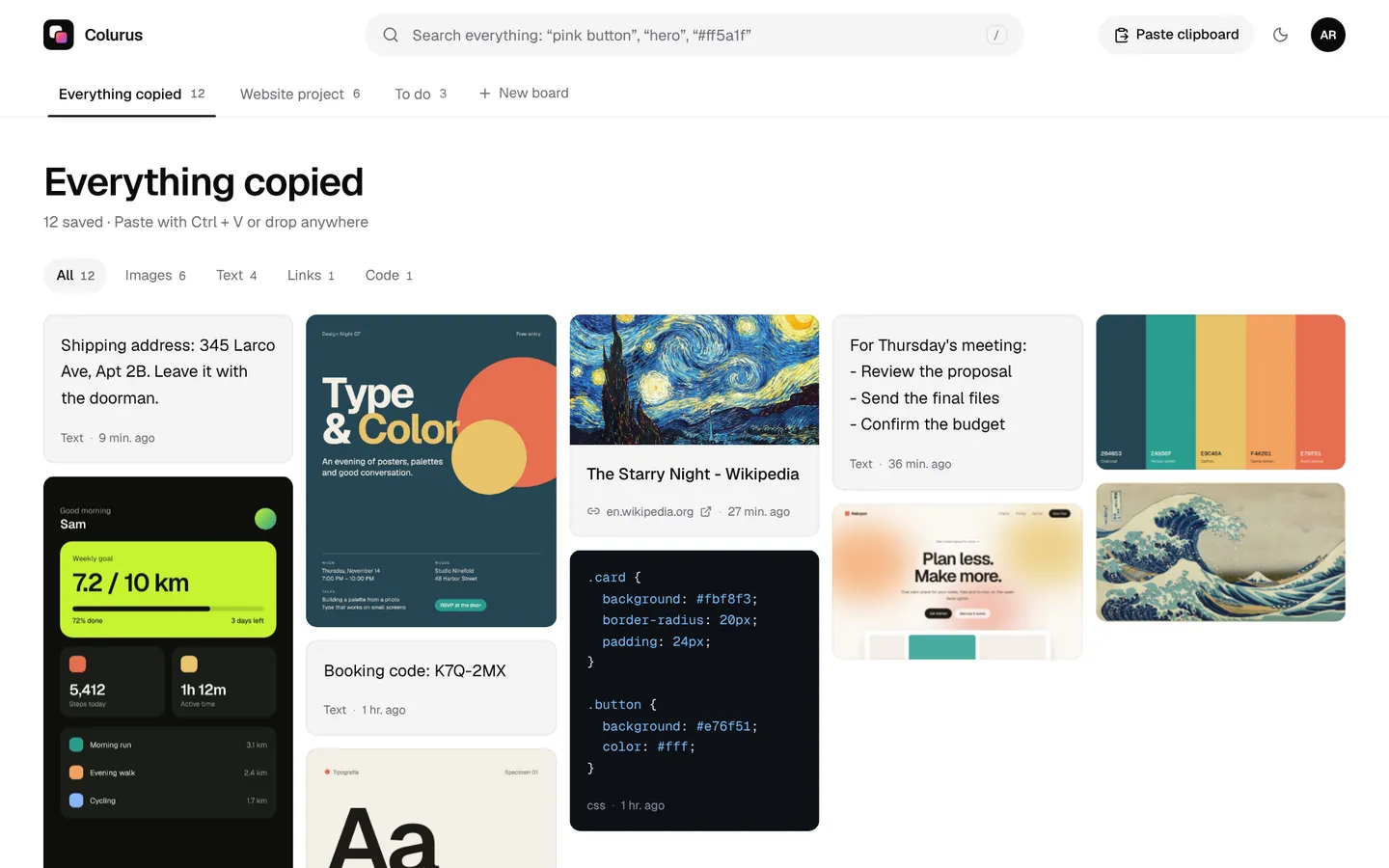
Colurus doesn't sync in the background, and it says so. You paste texts, links, images or code with Ctrl + V (or the Paste button on your phone), and they stay in your account, ready to copy again on any device where you sign in. On the other device they appear when you open or reload the page.
- Works on phones where no sync app can read the clipboard, because you paste on purpose.
- History that isn't erased, with search, pins and notes. AI reads the text and colors in your screenshots.
- In the browser, with no app to install. Tested in Chrome on PC and Android. Sign in with Google.
- Free: 200 items, 2 boards and AI on 10 images a day. Pro: $6 a month or $60 a year.
Need it once, with no account? The online clipboard.
Sign in with Google. Free: 200 items, 2 boards and AI on 10 images a day.
Try Colurus freeHow to sync the clipboard between Android and Windows
Start with Phone Link: if your phone is on its list, it's the only free option that syncs text and images both ways without you doing anything. If it isn't, install SwiftKey and turn on clipboard history across devices on the PC, keeping in mind it only carries your last text. In the other direction, Link to Windows has started copying what you copy on a Windows 11 PC to the phone, according to Windows Latest (December 2025).
For the step-by-step and every other method, from messaging yourself to KDE Connect, see how to copy and paste between Android and Windows. If you used Pushbullet for this, there's a list of Pushbullet alternatives.
Which clipboard sync app should you pick?
- Windows and a supported Android phone: Phone Link.
- Windows and any Android phone: SwiftKey, for your last copied text.
- Several Windows PCs: Win + V history with sync, or Ditto.
- Open source: KDE Connect on your network, ClipCascade over the internet.
- Phone and Chrome: Clip Cloud or Join.
- To keep what you copy, with history, on any device: Colurus.
- Photos and files from your phone, like AirDrop: see AirDrop for PC and Quick Share for Windows.
Sign in with Google. Free: 200 items, 2 boards and AI on 10 images a day.
Try Colurus freeFrequently asked questions
How do I sync my clipboard across devices?
+
Install the same clipboard sync app on each device and sign in or pair them: Phone Link or SwiftKey for Android and Windows, Win + V history between Windows PCs, KDE Connect or ClipCascade across systems. On Android 10 and later, sending from the phone usually needs a keyboard, a tap or a paste.
How do I sync the clipboard using Phone Link?
+
Install Link to Windows on the phone, open Phone Link on the PC, sign in with the same personal Microsoft account, then turn on Cross-device copy and paste in Phone Link's Settings > Features. It only appears on supported phones.
Why is clipboard sync across devices greyed out?
+
Windows ties clipboard sync to a Microsoft or work account, so it stays unavailable until Windows is signed in with one. On work PCs, your organization may also have turned it off.
Can I sync the clipboard without SwiftKey?
+
From the phone to Windows, Microsoft only offers Phone Link on supported phones. Otherwise use KDE Connect, ClipCascade or Join, or paste into Colurus. From Windows 11 to the phone, Link to Windows started doing it with any keyboard in late 2025, according to Windows Latest.
Is there an open-source clipboard sync app?
+
Yes: KDE Connect, ClipCascade and Ditto (Windows only) are free and open source.
Does Apple's Universal Clipboard work with Windows or Android?
+
No. It works between a Mac, iPhone and iPad signed in to the same Apple Account, near each other, with Bluetooth, Wi-Fi and Handoff on.
Does Colurus sync my clipboard automatically?
+
No. You paste what you want to keep, and it stays in your account. On your other device it appears when you open or reload Colurus. In exchange, it works on any phone and keeps a history you can search.
Sources
- Microsoft Support: Copy and paste between your devices (Phone Link)
- Microsoft Support: Phone Link requirements and setup
- Microsoft Support: Copy and paste text between SwiftKey and Windows
- Microsoft Support: Using the clipboard in Windows (Win+V)
- Windows Latest (Dec 17, 2025): Link to Windows shares the PC clipboard with Android
- Android Developers: Android 10 privacy changes (clipboard access)
- KDE Connect: official site
- KDE UserBase: KDE Connect (clipboard on Android 10 and later)
- ClipCascade on GitHub
- Google Play: Join (30-day trial, then a one-time $4.99)
- Join Help: clipboard on Android 10 and later
- Google Play: Clip Cloud – Clipboard Sync
- Ditto on GitHub
- Apple Support: Universal Clipboard
- 9to5Google (Sep 28, 2023): OnePlus Clipt shuts down
Facts about each app checked on October 9, 2026. If something changed, tell us and we'll fix it.