FreeWindows, Mac, Linux, Android and iPhone
Your clipboard history, on all your devices.
A clipboard manager in the cloud: what you copy on one device shows up on the others, saved for good. Text, photos, screenshots, links and code.
Everything copied
12 saved · on all your devices
Shipping address: 221 Baker Street, London.
Text · 9 min ago
For Thursday's meeting: review the proposal and send the files.
Text · 9 min ago
Banana bread in 30 minutes
youtube.com
Booking code: K7Q-2MX
Text · 9 min ago
Dentist: (555) 014-2290
Text · 9 min ago
Everything copied
- 1Copy on your phone
- 2It shows up on your PC
- 3Paste it anywhere
Free · Works in your browser, nothing to install · Sign in with Google
Free tools, no account: Image to textImage to PNGColor palette from imageOnline clipboard
A clipboard history that never forgets.
Paste
With the tab open, press Ctrl + V (⌘ + V on a Mac). Screenshots, formatted text, links, SVG or code: it's all saved in the cloud. On your phone, copy the image in your gallery and paste it with the Paste clipboard button.
Copy it again
Copy it from the card and it goes back to your clipboard exactly as it was, on any device: your laptop, your work computer or your phone. Click it to see it big.
Sort it if you want
Group what goes together into boards: a project, a client or ideas for later. Nothing leaves Everything copied.
Made for what you copy every day.
A shared clipboard
Copy on one device, paste on another: Windows, Mac, Linux, Android or iPhone, right in the browser. Everything stays in your history.
Find it without organizing
AI adds tags and reads the text in your screenshots. Search “orange button” or a word you saw in a screenshot and it shows up.
Pin what you always use
Your address, an account number, a message you send all the time: pin it and it stays on top, ready to copy.
Text keeps its formatting
What you copy from Notion, Google Docs or a web page keeps its bold, headings, lists and links, and pastes the same way.
The palette of every image
Every image comes with its main colors, ready to copy as HEX, RGB, CSS, Tailwind or JSON.
Public boards
Share a read-only link with your team or your client.
Looking for AirDrop for PC? Here's how to send text, links and photos from your phone to your PC
From moodboard to your editor in one paste.
For devs: inside every board, the “Turn into a prompt” button has the AI look at all the images together and pull out the style they share. The prompt describes that style, not what the screenshots say: paste it into Claude Code or Cursor, write below it what you want to build, and it builds with that look instead of copying the screenshots.
- The mood, type, corners, density and what to avoid, for the whole board
- Effects like blur, transparency, shadows and gradients
- Colors ranked by how much they're used, each with its role (background, text, accent) and a Tailwind 4 @theme block
- Your notes, code and SVGs, exactly as you saved them
Use the moodboard "Landing Director" as the style reference for the UI in my request.

Take its look and feel, not its content: the references show other products, so don't copy their text, data, brand names, features or exact layouts. Build what I ask for, in this style.

## Visual style

Dark, confident product-landing look: near-black surfaces, one warm orange accent that glows, and a lot of empty space around a few large elements.

- Shared traits: Near-black backgrounds with a single warm accent; Large, tightly tracked headlines with short supporting text; Pill-shaped primary buttons with a soft colored glow; Simple geometric decoration (circles, thin lines) instead of photos; Few elements per screen and generous whitespace
- Typography: Geometric sans-serif (Inter or Geist). Headlines 56–72px, semibold, letter-spacing around -0.03em; body 16–18px in a muted gray; small labels in uppercase with wide tracking.
- Shapes and borders: Fully rounded pills for buttons and badges, 12–16px radius on cards and inputs, 1px hairline borders in white at about 10% opacity, 2px rounded strokes on icons.
- Layout and density: Low density: one idea per section, centered hero, 96–128px of vertical padding between sections, content width around 1100px, 8px spacing scale.
- Depth and effects: Colored glow under the primary button (0 10px 30px -10px, orange at about 60%). A 135° orange-to-pink gradient only on the main call to action. Floating bars are translucent (white at 5%) with backdrop blur. No hard drop shadows and no textures.
- Imagery and icons: Line icons in the accent color and abstract shapes (circles, rings, stars) instead of photos or illustrations.

Avoid:
- Light or white page backgrounds
- More than one bright accent on the same screen
- Square corners on buttons
- Stock photos or heavy textures
- Dense tables and small, crowded cards

If you can see images, I can attach the screenshot from the board too: use it for style only.

## Colors

Ranked by how much each one shows up in the board.

- #0f172a background (closest Tailwind: slate-900)
- #f97316 primary accent (closest Tailwind: orange-500)
- #f8fafc text (closest Tailwind: slate-50)
- #5e6ad2 secondary accent (closest Tailwind: indigo-500)
- #64748b muted text (closest Tailwind: slate-500)

```css
@theme {
  --color-background: #0f172a;
  --color-primary-accent: #f97316;
  --color-text: #f8fafc;
  --color-secondary-accent: #5e6ad2;
  --color-muted-text: #64748b;
}
```

## Notes and copy from the board

Use them only where they fit what I ask for.
- Copy once. Paste anywhere.

## Inspiration links

- Linear – Plan and build products: https://linear.app

## Code snippets to reuse

```css
.btn-glow {
  background: linear-gradient(135deg, #f97316, #db2777);
  border-radius: 9999px;
  box-shadow: 0 10px 30px -10px rgb(249 115 22 / 0.6);
}
```

## SVG assets

```svg
<svg xmlns="http://www.w3.org/2000/svg" viewBox="0 0 24 24" fill="none" stroke="#f97316" stroke-width="2" stroke-linecap="round" stroke-linejoin="round"><path d="M12 3l2.6 5.6 6.1.7-4.5 4.2 1.2 6L12 16.6 6.6 19.5l1.2-6L3.3 9.3l6.1-.7z"/></svg>
```
Start for free. Go Pro when you use it every day.
No trial and no card to start. If you hit a limit, nothing is deleted: everything stays there to copy.
Free
Your clipboard on all your devices.
$0
forever
Start for free- Copy and paste across all your devices
- 200 saved items
- 2 boards
- AI tags on 10 images a day
- 1 style prompt a month
- Public boards with a link
- Chrome extensionSoon →
Pro
For people who copy and paste all day.
$6/month
or $60 a year, 2 months free
Go Pro- Everything in Free
- Unlimited saved items
- Unlimited boards
- AI tags on 300 images a day
- Unlimited style prompts
- New features as we add them
Prices in US dollars. Secure checkout with Polar. Cancel anytime and nothing is deleted.
Coming soon
Colurus is coming to more places. Leave your email and we'll let you know when each one is ready.
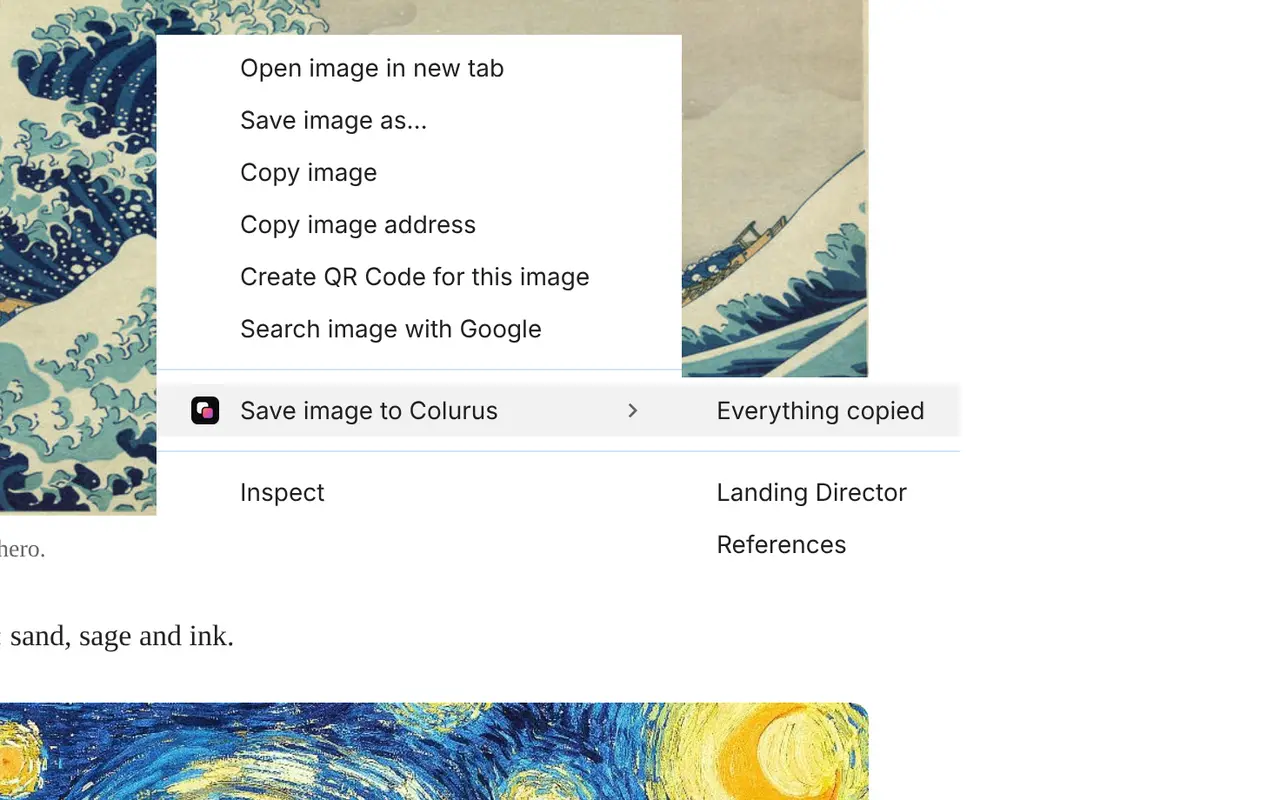
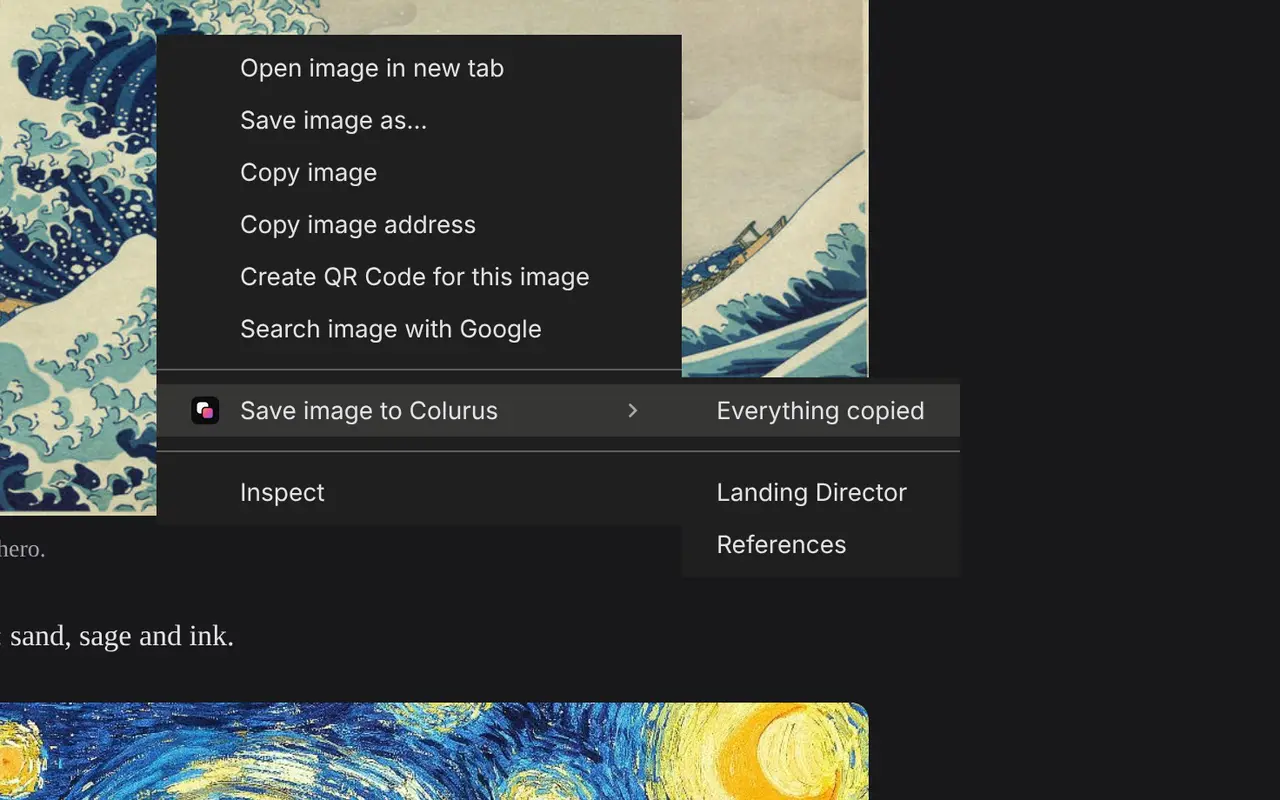
Chrome extension
Save anything to Colurus with a right click, without opening the tab.
Palette for the client: sand, sage and ink.
Colurus for Windows
A small island at the top of your screen that saves what you copy and syncs it with your phone.
Free tools from Colurus
An extra for when you need them, no account required. Anything you make with them goes to your Colurus clipboard in one click.
- Color palette from imagePull the colors out of any photo or screenshot.
- Online clipboardSend text and images from your PC to your phone with a code.
- Image to textCopy the text out of any screenshot or photo.
- Photos from phone to PCSend photos from your phone to your computer without a cable or an app.
- Image to PNGPaste a screenshot or any image and save it as a PNG.
Copy once. Paste anywhere.
Free to start. Sign in with Google and paste your first item in seconds.