Intel Unison alternatives: what to use now with an iPhone and a Windows PC
Intel Unison is gone: it stopped working and left the stores on June 30, 2025, and Intel no longer offers it for download. No single app does everything it did with an iPhone. For calls, messages and notifications, use Microsoft's Phone Link. For photos and files, LocalSend or iCloud for Windows. For copy and paste between iPhone and PC, which Phone Link doesn't do with an iPhone, use Colurus: free, in the browser.
Updated · Colurus
Quick answer
| App | What it replaces from Unison | Phones | Price |
|---|---|---|---|
| Phone Link (Microsoft) | What it replaces from UnisonCalls, texts and notifications; sending files from the iPhone | PhonesiPhone and Android | PriceFree, comes with Windows |
| LocalSend | What it replaces from UnisonPhotos and files on the same Wi-Fi | PhonesiPhone and Android | PriceFree, open source |
| iCloud for Windows | What it replaces from UnisoniPhone photos and iCloud Drive in File Explorer | PhonesiPhone | PriceFree app; 5 GB of iCloud free |
| Colurus | What it replaces from UnisonCopy and paste: texts, links, photos and screenshots, saved in the cloud | PhonesiPhone, Android and any PC browser | PriceFree (200 items); Pro $7/month |
Dates from Intel and Dell support pages; Phone Link with iPhone as described by TechCrunch and Tom's Guide. Checked on November 2, 2026 (see Sources).
What happened to Intel Unison
Intel Unison was a free app that connected an iPhone or Android phone to a Windows 11 PC. Intel announced its end in April 2025. On June 30, 2025 it stopped working and was removed from download on most PCs; Lenovo Aura Edition PCs kept it until the end of 2025. Since January 1, 2026, Intel no longer offers the app or its drivers and no longer answers support requests about it.
If it's still installed, it won't connect anymore: Intel and PC makers like Dell recommend uninstalling it.
What Unison did, and what replaces each part
- Calls, text messages and notifications on the PC → Phone Link, built into Windows.
- Sending photos and files between phone and PC → LocalSend, iCloud for Windows, or Phone Link's file sharing.
- Getting a text, a link or a screenshot from the phone to the PC right now → Colurus, or the free online clipboard without an account.
Unison also worked on iPhones, which most phone-to-PC apps don't, and that's what people miss most. Below, each option with what it does on an iPhone.
Phone Link: calls, texts and notifications
Phone Link is Microsoft's app, and it comes with Windows. With an iPhone it needs Windows 11, iOS 14 or later and Bluetooth: you pair them once with the Link to Windows app on the iPhone. Then you can take and make calls, read and reply to texts and see your notifications on the PC.
It has limits with an iPhone: texts only arrive while the phone is connected, you can't reply to group chats or send photos in messages, and it doesn't show your photo library. Its newer file sharing sends a file from the iPhone's Share menu. Copy and paste between devices only works with Android.
Photos and files: LocalSend and iCloud
LocalSend is free and open source, with apps for iPhone, Android, Windows and Mac. It sends photos and files directly between devices on the same Wi-Fi, without an account or the internet. Good for many photos or big videos.
iCloud for Windows is Apple's app for the PC. With iCloud Photos on, your iPhone photos show up in File Explorer after they sync, and iCloud Drive too. It needs your Apple Account and enough iCloud storage (5 GB free).
For a few photos without installing anything, the free page to send photos from iPhone to PC does it with a 6-character code.
Copy and paste between iPhone and PC: Colurus
Colurus is a clipboard history in the cloud that works on iPhone, Android and PC, in the browser. It fills the gap Phone Link leaves with an iPhone: getting a text, a link, a photo or a screenshot from the phone to the PC, and back, and keeping it until you delete it. It doesn't do calls, messages or notifications.
- 1Open colurus.com in Safari on the iPhone and in any browser on the PC, and sign in with the same Google account on both.
- 2On the iPhone, copy something and tap Paste, or tap Choose image for a photo or screenshot. iOS doesn't let apps read the clipboard in the background, so you send each thing with one tap.
- 3It shows up on the PC right away. Click to copy it, or download the image.
- 4From the PC, press Ctrl + V in Colurus and tap the card on the iPhone to copy it.
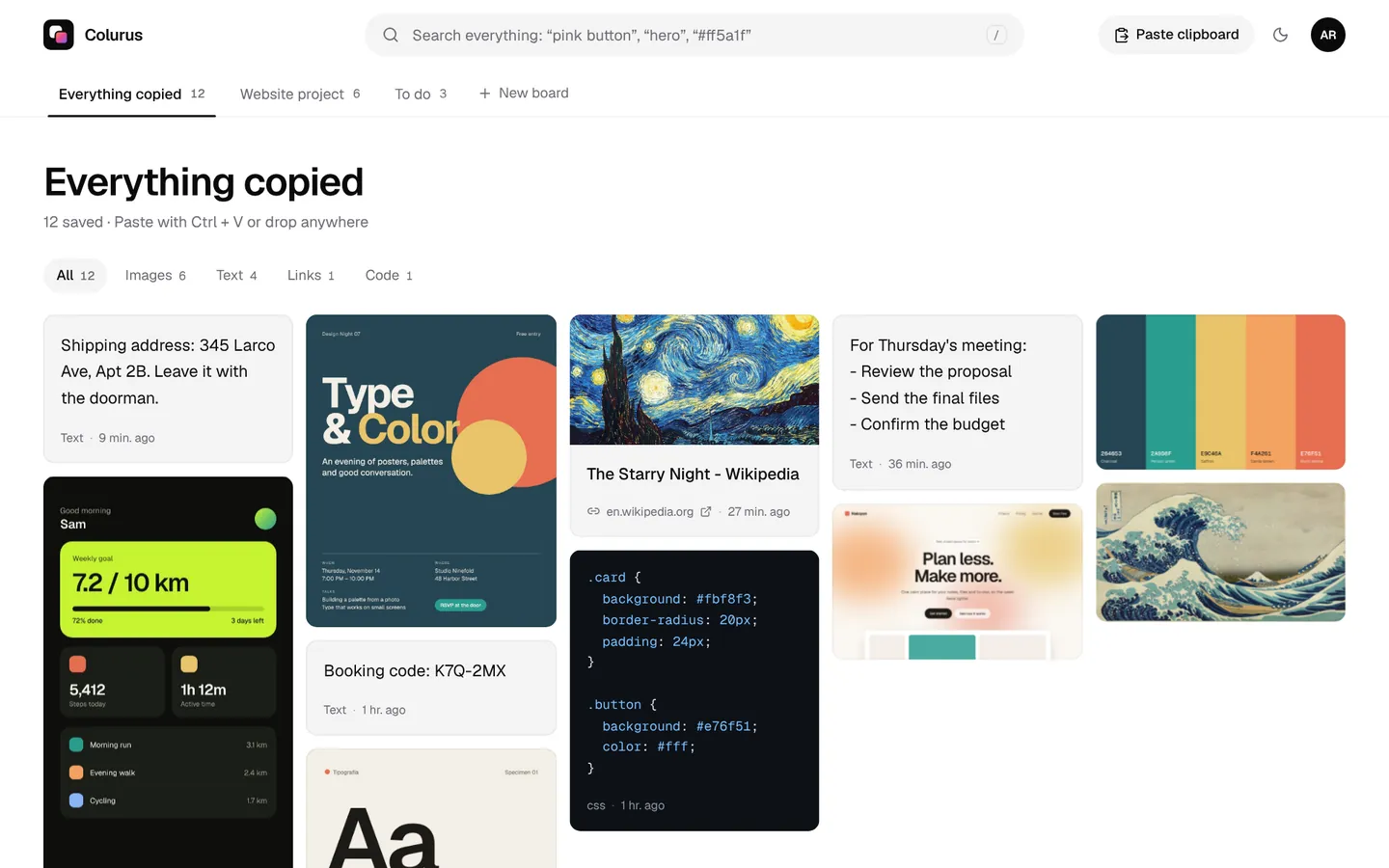
It's the closest thing to a universal clipboard for Windows and iPhone. More on this in clipboard on iPhone.
Sign in with Google. Free: 200 items, 2 boards and AI on every image you save.
Try Colurus freeIf you have an Android phone
It's easier: Phone Link does more with Android (recent photos, and copy and paste on some brands), Quick Share works with Windows, and Colurus can save straight from Android's Share menu. See every option in how to copy and paste between Android and Windows.
Which one should you use?
- Calls, texts and notifications on the PC: Phone Link.
- Lots of photos or videos: LocalSend on the same Wi-Fi, or iCloud for Windows.
- Texts, links, screenshots and photos from the iPhone to the PC every day, kept and searchable: Colurus.
Most people who used Unison with an iPhone end up with Phone Link plus one of the others.
Sign in with Google. Free: 200 items, 2 boards and AI on every image you save.
Try Colurus freeYour clipboard history, in Chrome too
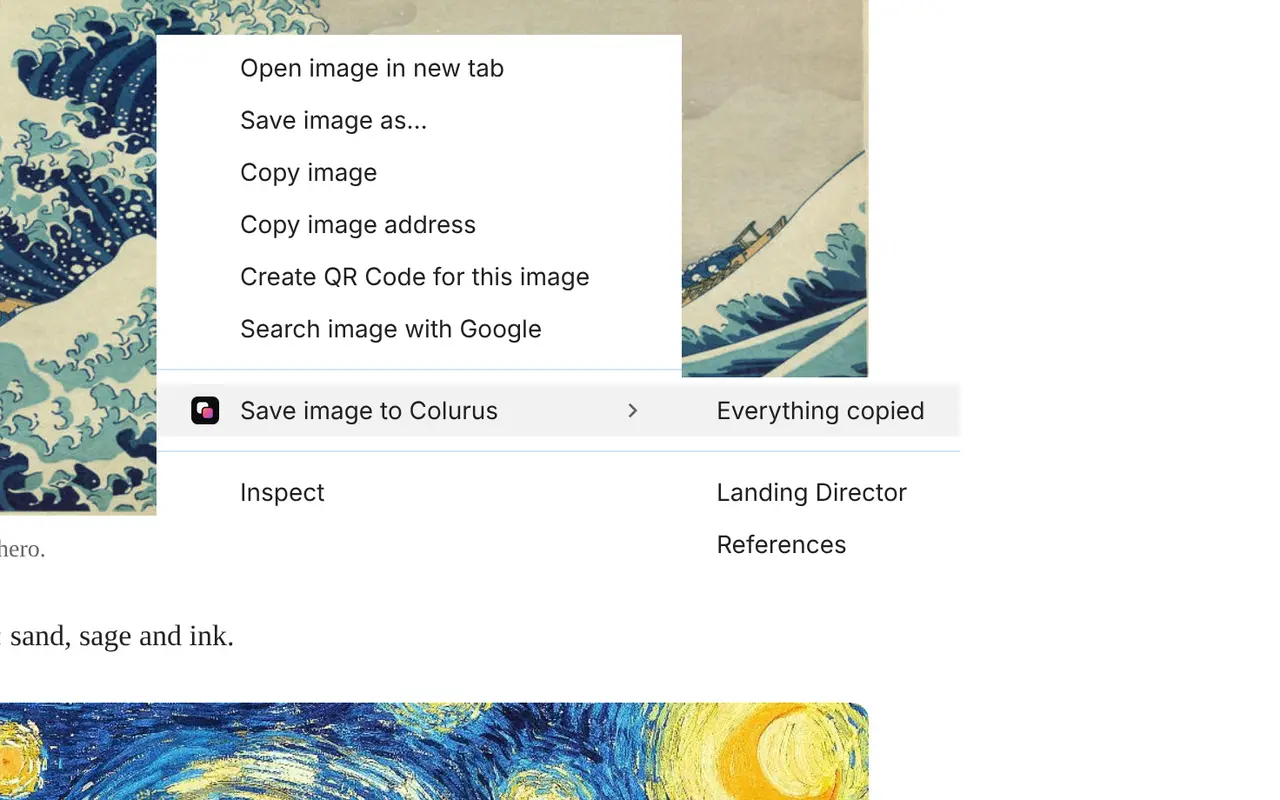
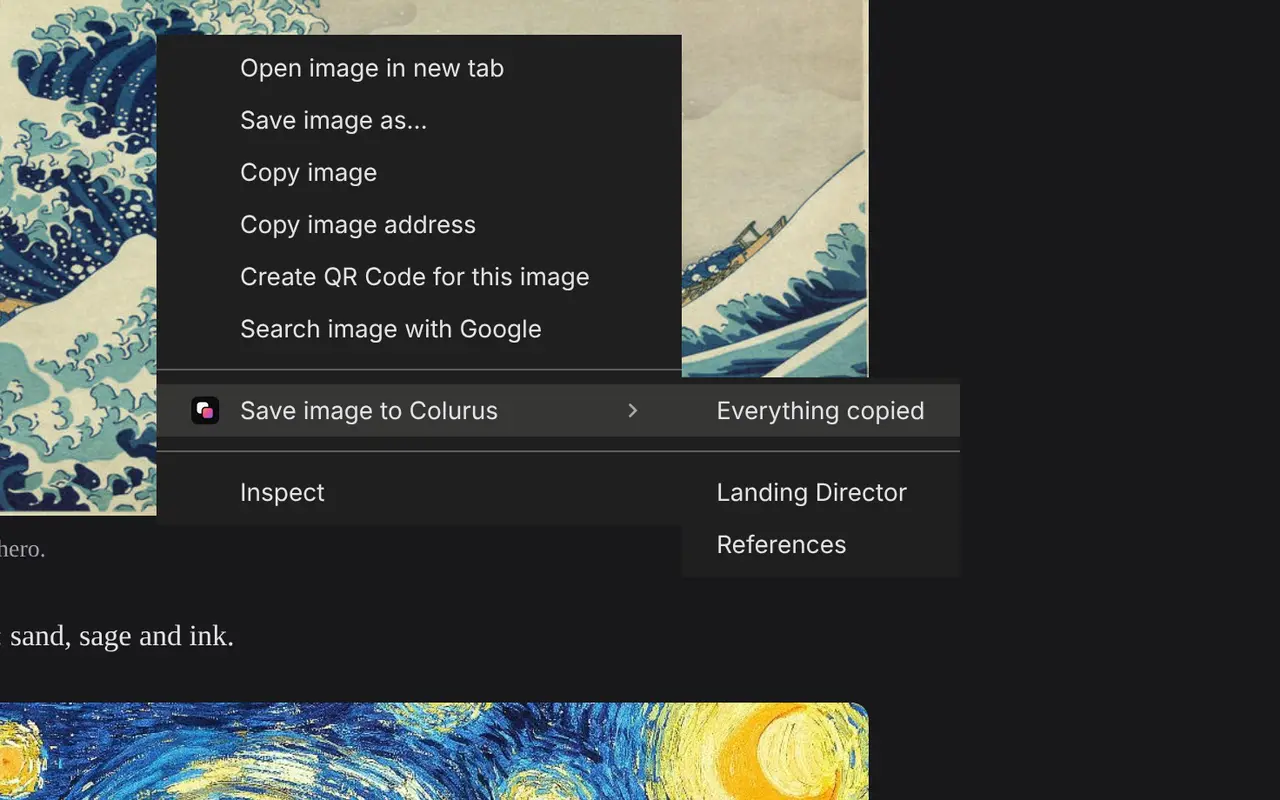
Save text, links and images from any page with a right-click, and copy them back from the popup or the side panel without leaving the tab. What you save stays in your Colurus, on your phone too.
Frequently asked questions
Is Intel Unison discontinued?
+
Yes. Intel announced it in April 2025. It stopped working and was removed from download on June 30, 2025 on most PCs, and at the end of 2025 on Lenovo Aura Edition PCs. Since January 1, 2026, Intel no longer offers it.
Can I still use Intel Unison?
+
No. The app no longer connects and Intel doesn't support it. Uninstall it and use Phone Link, LocalSend or Colurus for what you used it for.
What's the best Intel Unison alternative for iPhone?
+
Phone Link for calls, texts and notifications. For photos and files, LocalSend or iCloud for Windows. For copy and paste and screenshots between iPhone and PC, Colurus.
Can I copy and paste between my iPhone and a Windows PC?
+
Not with Phone Link, whose copy and paste only works with Android, and not with Apple's Universal Clipboard, which only works between Apple devices. With Colurus you paste on the iPhone and copy on the PC, in the browser.
Does Phone Link work with an iPhone?
+
Yes, on Windows 11 with iOS 14 or later, over Bluetooth: calls, texts and notifications, and file sharing. It doesn't show your photos, and texts only come in while the phone is connected.
Is Colurus free?
+
Yes. The free plan keeps 200 items with no time limit; Pro is $7 a month for unlimited items. It runs in the browser; you sign in with Google.
Sources
- Intel Support: Intel Unison end of service and support
- Dell Support: Intel Unison end of service announcement
- Tom's Hardware (Apr 4, 2025): Intel discontinues the Unison app
- TechCrunch (May 15, 2023): Phone Link for iOS is available to all Windows 11 users
- Tom's Guide (Mar 16, 2025): an iPhone with Phone Link on a Windows PC
- Apple Support: iCloud for Windows
- LocalSend: official site
Facts about each app checked on November 2, 2026. If something changed, tell us and we'll fix it.